
Welcome To The Digital Pickle Studio
The Digital Pickle Studio is a digital learning and resource hub focused on digital literacy, digital creativity, and creative digital problem-solving.
We believe people learn technology best when they have an opportunity to use it for something meaningful. Creating an image, writing a story, organizing information, making a video, building a webpage, or solving a practical problem can naturally introduce people to the digital tools and concepts they need in everyday life.
The studio is being developed as a place where people can learn, practise, explore, and build confidence with technology. Through plain-language articles, demonstrations, videos, guides, downloadable resources, and opportunities for direct support, we want to make digital learning easier to approach.
Digital Creativity Is a Way to Learn
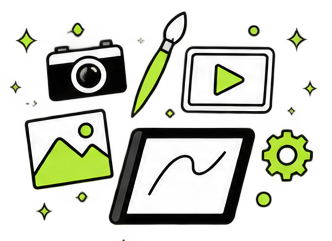
Digital creativity is the use of digital tools to create, communicate, explore ideas, and solve problems.
Photography, image editing, design, storytelling, website building, digital art, video, and content creation are all forms of digital creativity. They may look different from one another, but each involves learning how to use tools, make decisions, organize information, respond to challenges, and turn an idea into something useful.
These are also important parts of digital literacy.
Digital literacy is not only knowing how to use a particular program or device. It includes understanding how digital tools work, finding and evaluating information, communicating online, managing files and accounts, making choices, solving problems, and learning new systems when they change.
Creative projects provide a natural way to practise these abilities. A person may begin by wanting to edit a photograph or create a poster, then learn about file types, folders, storage, software, sharing, privacy, or online publishing along the way.
The creative goal gives the learning a purpose. The problem-solving process builds confidence.
Learning Through Creative Digital Problem-Solving
The studio does not separate creating from learning.
Digital creative work constantly presents questions. How should an idea be organized? Which tool is appropriate? Why is something not working? How can information be found, saved, changed, shared, or presented more effectively?
Answering these questions requires experimentation, research, decision-making, and persistence.
New tools appear, software changes, projects bring unfamiliar challenges, and even experienced users regularly need to stop, investigate, try another approach, and learn something new. This is not a sign that someone is failing. It is a normal part of working with technology.
The finished photograph, design, video, website, or resource only shows the result. Behind it is a process filled with questions, tests, mistakes, adjustments, and discoveries. Those parts are often the most useful for someone who is learning.
The Digital Pickle Studio wants to make that process more visible and easier to follow.
We create. We learn. We solve. We teach.
These are stages of the same process. Creative work creates opportunities to learn, learning helps us solve problems, and the experience can then become something useful for other people.
Learning Without Judgment
Many people struggle with technology because important foundations were never properly explained.
Digital instructions often use unfamiliar terms, skip basic steps, or assume a level of knowledge that not everyone has. A simple task can quickly become frustrating when every explanation depends on understanding several other concepts first.
This does not mean someone is bad with technology. More often, the missing piece is a clear explanation, enough time to practise, or a learning approach that fits the person.
The Digital Pickle Studio aims to provide that kind of support.
Our learning approach is practical, patient, and judgment-free. Questions are welcome at every level, including questions that may feel too basic to ask elsewhere. Digital learning should not make people feel intimidated for starting from a different place.
This approach can support beginners, everyday technology users, people facing literacy or digital-access barriers, and anyone who wants to become more comfortable using digital tools.
Different people will need different explanations, examples, and amounts of support. Good learning begins with the actual person and the actual problem—not an assumed starting point.
Online and In-Person Learning
The studio’s online content will make digital learning available from anywhere. Articles, videos, and resources can remain accessible over time and give people a place to begin independently.
Direct learning opportunities will provide another level of support.
The Digital Pickle Studio offers in-person individual sessions, and will soon be offering group learning, workshops, demonstrations, and community programs in different locations throughout Western Canada. Availability will depend on the studio’s current schedule and location.
Some learning opportunities may focus on a specific digital skill. Others may begin with a real project or everyday problem and use that situation as a way to explore several connected skills.
The studio will also remain open to location requests. Interest from several people or organizations in one area may help shape future travel and teaching schedules.
Building Confidence Through Practice
Digital confidence develops through practice.
People do not need to understand every tool before they begin. They need a safe place to try, make mistakes, ask questions, and learn what to do next.
Creative projects can make that process more engaging because they give people something concrete to work toward. A project can be small and personal, such as organizing photographs, creating a simple graphic, writing a document, or learning how to share a file. It can also be part of a larger community, educational, or organizational goal.
The important part is the process: identifying a goal, choosing an approach, learning the tools, working through challenges, and reflecting on what was learned.
Each project can build skills that transfer to other parts of digital life.